
Control: Keyboard (Bottom) 1.0
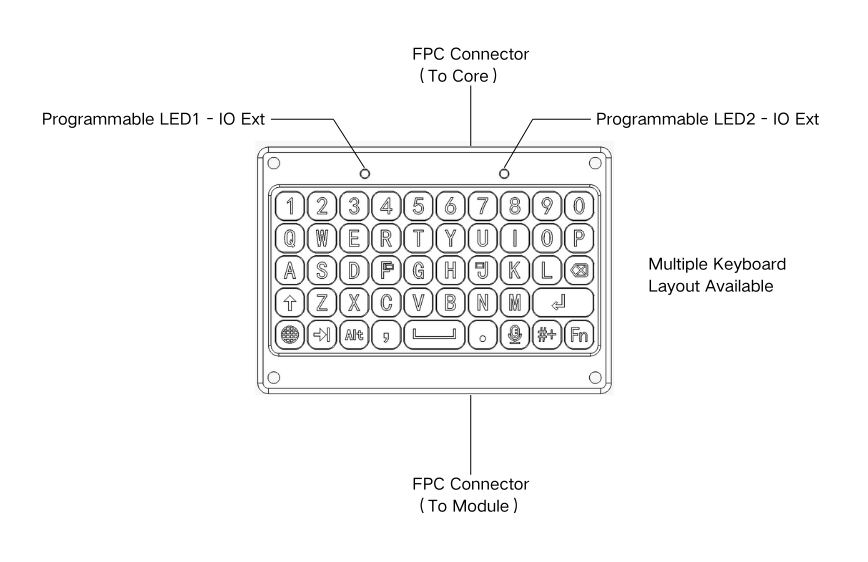
A physical QWERTY keyboard that clips on along the bottom edge, turning your Attaky into a pocket typing device.
Control: Keyboard (Bottom) 1.0 is a physical QWERTY keyboard that attaches along the bottom edge of your Attaky. It's a Control module — it adds an input, so the Core you already have can take real typed text instead of on-screen tapping. Use it for chat, messaging, notes, and any firmware that asks you to type.
Looking for the technical specs?
The key map, controllers, I²C addresses, and connector are on the Keyboard (Bottom) datasheet.
On board
- A full QWERTY layout — 48 keys
- Letters, numbers, and common punctuation
- Modifier keys: Shift, Tab, Alt, a language key, and Fn
- Enter, Delete, and Space
- Status indicator lights
What you do with it
The keyboard turns your Attaky into something you can type on. Open a chat in a mesh firmware and write a message, jot a quick note, fill in a field, name a contact — anything that needs text. It doesn't run firmware of its own and it doesn't change what the device is; it just gives whatever you're running a real keyboard to read from.
Browse the firmware you can flash and the other modules you can add to see what the keyboard pairs with.
How it connects
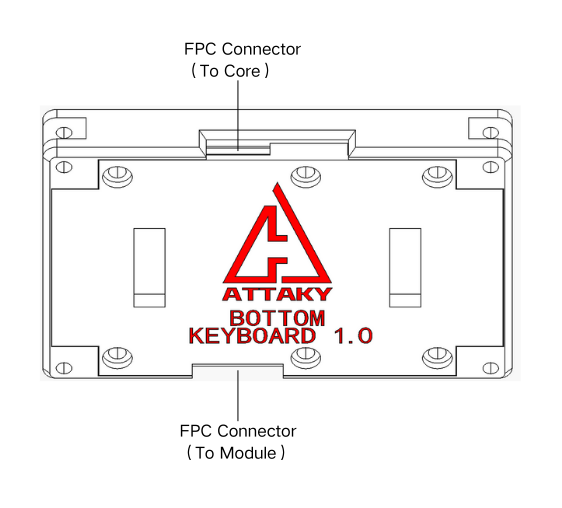
The keyboard clips on along the bottom edge and links to the Core through Attaky's standard flat-cable connector. It also passes the connection straight through, so a second Control module — like a gamepad — can stack below it on the same chain. The "(Bottom)" in the name is just where it usually ships; it connects through a standard Attaky port, not a special bottom-only one.
See Frame & Connections for the connector standard, and Swap a Module when you want to add or change one.
Good to know
Stacks with another Control — because the cable passes through, you can run the keyboard and a second bottom Control module (such as a gamepad) at the same time.
Size — 66 × 46 × 9.5 mm.
Specs
For the full hardware specification — key map, controllers, I²C addresses, and the connector — see the Keyboard (Bottom) datasheet.
Get one
The keyboard ships in the builds made for typing — see Series to pick one, such as the Mesh Deck Junior.
Expand: FM/AM Radio 1.0
The Expand module that turns a Core into a full FM/AM radio — tune broadcast stations and listen on the speaker or your headphones.
Control: Gamepad (Bottom) 1.0
The game controller — a full set of direction, action, shoulder, and function buttons across the bottom of your build, for playing games and driving any firmware that takes game input.